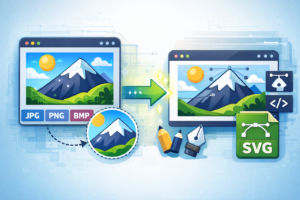
IMAGE CONVERTER Image Converter Select an image file and choose the desired output format to convert it. Select an image file: Supported types: PNG, JPG, GIF, BMP, TIFF, ICO, ICO, SVG, WEBP Output format: PNG JPEG GIF BMP TIFF ICO SVG WEBP Convert Reset Converting... How to Convert Images?Click the “Choose Files” button to upload your files.Select a target image format from the “Convert To” drop-down list.Click on the blue “Convert” button to start the conversion. The Most Common Image Formats Explained for Beginners: 10 Powerful Types You Must Know March 15, 2026 No Comments Read More » Introduction to Photo Conversion on Computers March 15, 2026 No Comments Read More » Why Image Optimization Is Important for Websites: 12 Powerful Reasons You Can’t Ignore March 15, 2026 No Comments Read More » Step-by-Step Guide to Converting Image Formats March 15, 2026 No Comments Read More » How to Convert Images Quickly Using Online Tools: 9 Powerful Methods for Fast & Easy Results March 15, 2026 No Comments Read More » How to Convert Images Online Without Installing Any Software: 10 Powerful and Easy Methods March 15, 2026 No Comments Read More » How to Choose the Right Image Format for Your Project: 12 Powerful Tips for Better Quality and Performance March 14, 2026 No Comments Read More » Easy Methods to Change Image File Types: 10 Powerful Techniques Anyone Can Use March 14, 2026 No Comments Read More » How to Improve Image Quality Before Converting: 12 Powerful Methods for Stunning Results March 14, 2026 No Comments Read More » The Difference Between Lossy and Lossless Image Formats: 7 Powerful Insights Every Designer Must Know March 14, 2026 No Comments Read More » The Importance of Image Formats in Web Design: 10 Powerful Reasons They Matter for Performance and SEO March 14, 2026 No Comments Read More » How to Convert Photos for Social Media Platforms: 10 Powerful Tips for Perfect Image Optimization March 14, 2026 No Comments Read More » Understanding Image Resolution and File Size: 12 Powerful Insights to Improve Image Quality and Performance March 14, 2026 No Comments Read More » How to Prepare Images for Faster Website Loading: 12 Powerful Techniques That Instantly Boost Page Speed March 14, 2026 No Comments Read More »
The Most Common Image Formats Explained for Beginners: 10 Powerful Types You Must Know March 15, 2026 No Comments Read More »
Why Image Optimization Is Important for Websites: 12 Powerful Reasons You Can’t Ignore March 15, 2026 No Comments Read More »
How to Convert Images Quickly Using Online Tools: 9 Powerful Methods for Fast & Easy Results March 15, 2026 No Comments Read More »
How to Convert Images Online Without Installing Any Software: 10 Powerful and Easy Methods March 15, 2026 No Comments Read More »
How to Choose the Right Image Format for Your Project: 12 Powerful Tips for Better Quality and Performance March 14, 2026 No Comments Read More »
Easy Methods to Change Image File Types: 10 Powerful Techniques Anyone Can Use March 14, 2026 No Comments Read More »
How to Improve Image Quality Before Converting: 12 Powerful Methods for Stunning Results March 14, 2026 No Comments Read More »
The Difference Between Lossy and Lossless Image Formats: 7 Powerful Insights Every Designer Must Know March 14, 2026 No Comments Read More »
The Importance of Image Formats in Web Design: 10 Powerful Reasons They Matter for Performance and SEO March 14, 2026 No Comments Read More »
How to Convert Photos for Social Media Platforms: 10 Powerful Tips for Perfect Image Optimization March 14, 2026 No Comments Read More »
Understanding Image Resolution and File Size: 12 Powerful Insights to Improve Image Quality and Performance March 14, 2026 No Comments Read More »
How to Prepare Images for Faster Website Loading: 12 Powerful Techniques That Instantly Boost Page Speed March 14, 2026 No Comments Read More »